What Is a Mixer Sound System? Audio Mixer Basics Explained
Learn what a sound system mixer does, how audio mixers combine input channels, and what the knobs, jacks and XLR ports on the front panel are for.

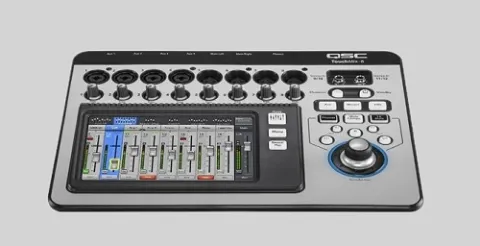
When you watch a concert, you will see many pieces of equipment working together to deliver the best possible result. Sound quality is the top priority, and the mixer is one of the key tools used to achieve it. Here is an explanation of sound system mixers.
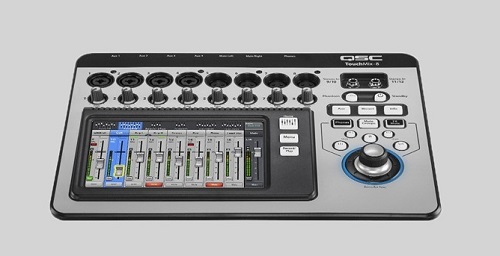
What Is an Audio Mixer or Sound System?
An audio mixer is a sound system device that blends two or more audio input channels into a single system. Professional technicians call it a mixing console or a professional audio mixing desk. To get started, you need to understand some basics about audio mixers, also known as mixing consoles.
You can learn how the buttons and ports on the front panel of this device work. A sound system, especially an audio mixer, has many rows from top to bottom, and each row is called a channel. At the top are XLR sockets and TRS input sockets (jack sockets). XLR connects to a microphone jack or audio input. The controls include Gain Sensitive and Treble (Level).
The second row includes Middle (Level), Middle Frequency, Low Frequency, Low (Level), AUX 1, AUX 2, Panpot (Balance Center), and Volume (Level). On average, manufacturers build these mixers with at least four mic input channels (XLR jacks), but models are also available with 12, 16, 24, 32, 48, and 60 channels.
A mixer can also include one or two stereo channels for input devices such as VCDs, laptops, keyboards, and similar equipment. Each channel's switch has an LPF button and a mute button, which route the audio to a SUB or the main output. Experienced sound operators may use a digital audio mixer instead.
Digital mixers work the same way, but you set them up through a MENU display rather than turning physical knobs by hand. The mixers discussed here are designed to recognize and manage the workflow of traditional audio mixers, which sound engineers (soundmen) commonly use. Here is what each button does.
Buttons and Jacks on an Audio Mixer
One of the features you will find is the channel input jack, which includes both the XLR socket and the TRS jack socket. Their function and connection are the same, meaning you plug in a microphone input. Professional mixers also have insert I/O jacks. However, the input gain on a mic input channel or jack works within an op amp range that only picks up the audio signal's vibration without adding gain.
Be careful when you adjust these inputs with an XLR channel jack set to 0 dB or better. So, to connect audio from a music keyboard to this connection, reduce the Gain Sensitive by at least 0 dB on the meter. You can study the full details to understand what each sound system mixer button does.
Once you understand audio mixers, you can learn about other topics related to using this music equipment. To find the best mixer products, you can visit Goshen Swara Indonesia, which offers a wide range of featured products suitable for beginners, musicians, and professionals alike.